A website and app blocker for Mac
Easy to make stricter.Slow to loosen.
Shield blocks the websites and apps that pull you away, in every browser on your Mac. Tightening a rule works at once. Loosening one waits 24 hours, so one weak moment can't undo it.
Free and open source · macOS 26 or later · Apple silicon
The app
Your limits, laid out plainly.
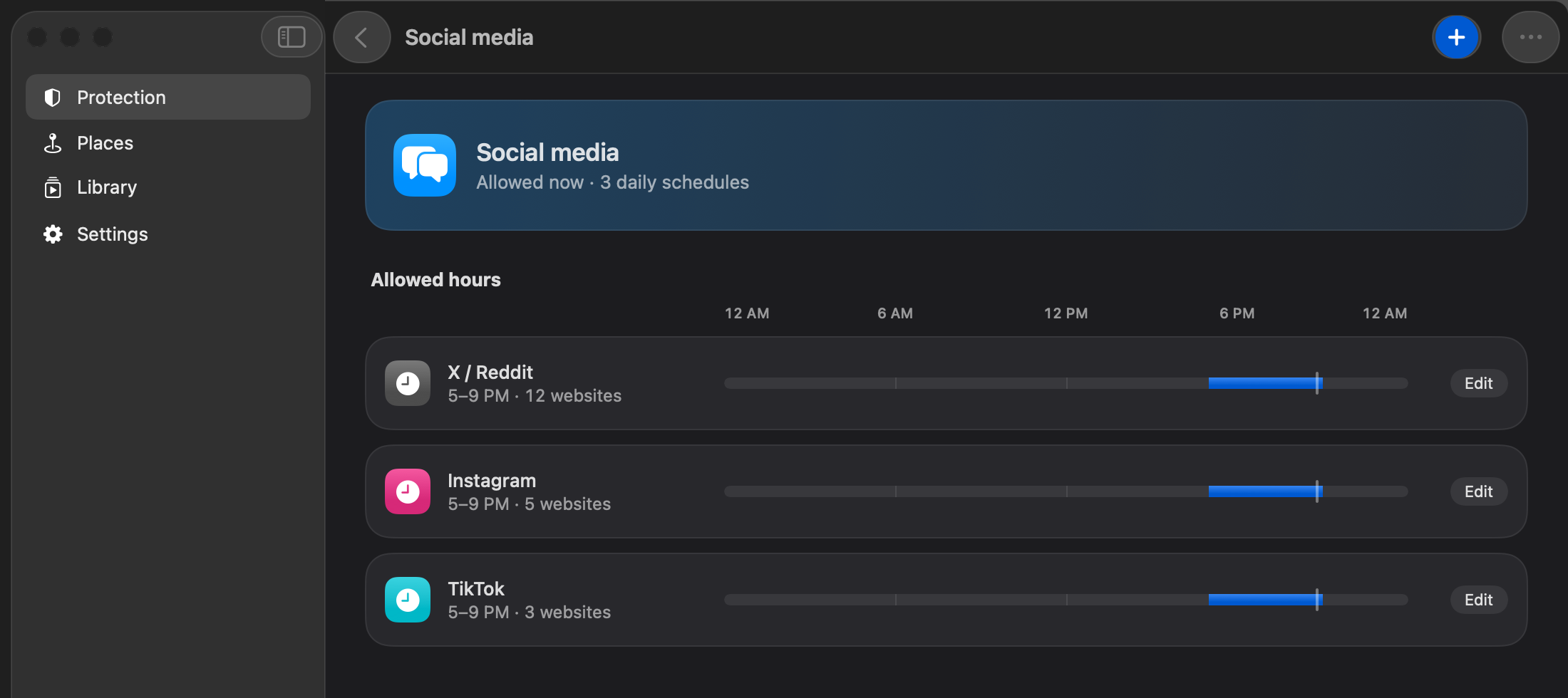
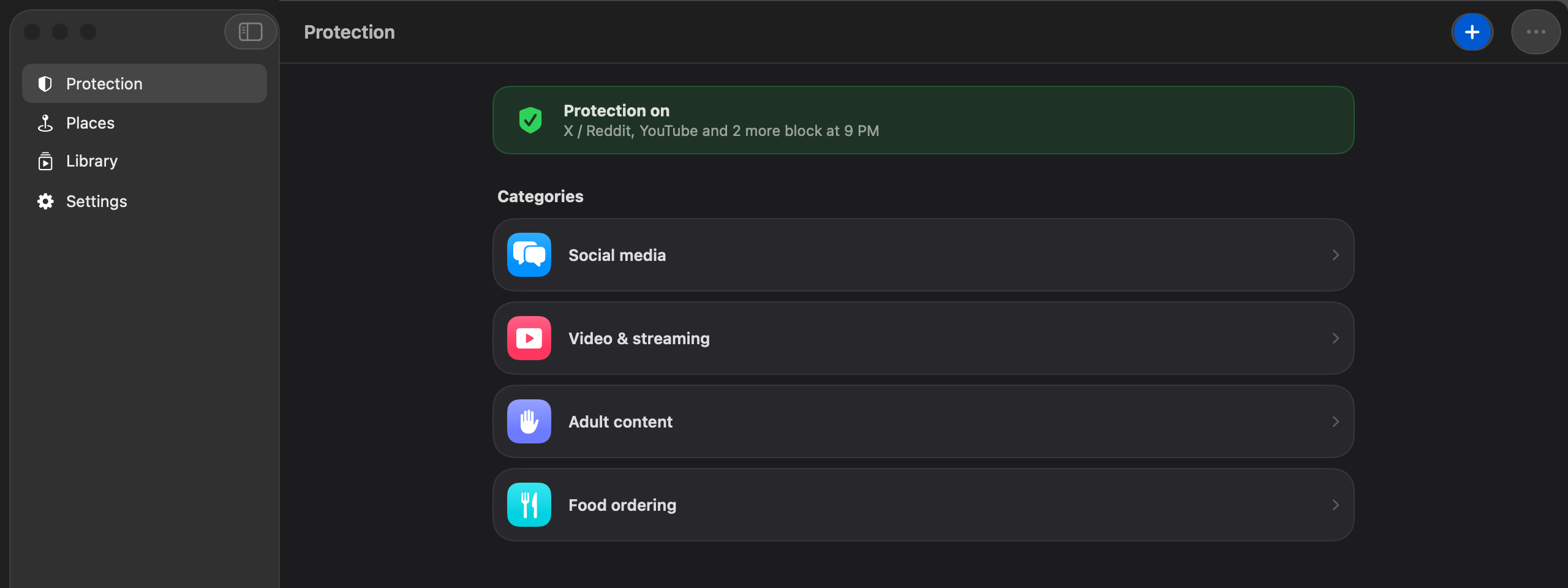
Blocks live in color-coded categories. Open one and you see each site's allowed hours on a single 24-hour bar, so you know what's open right now and what isn't.
Blocks
Five kinds of block.
Pick how a block ends when you make it. Each one is a promise to your future self, and Shield keeps it.
Until turned off
Stays on until you ask to remove it. Then it ends 24 hours later.
For a set time
An hour, a day, a week, or until a date. It can't be ended early.
Permanent
For the sites you never want back.
At a place
Blocked while you're at a place you choose, like your desk or the library.
Allowed hours
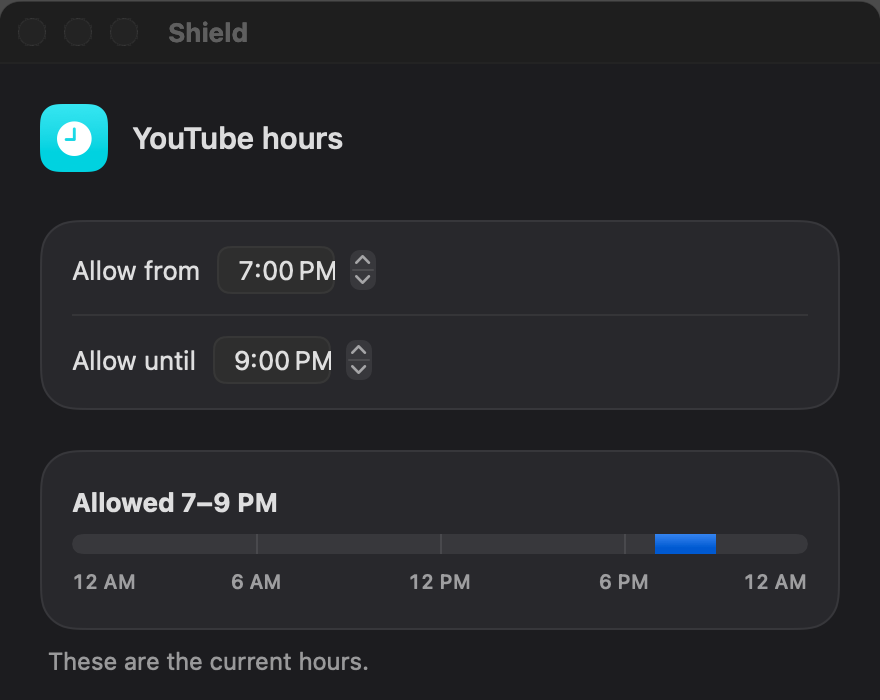
Open only during the hours you pick each day. Blocked the rest of the time.
BlockedOpen24-hour wait
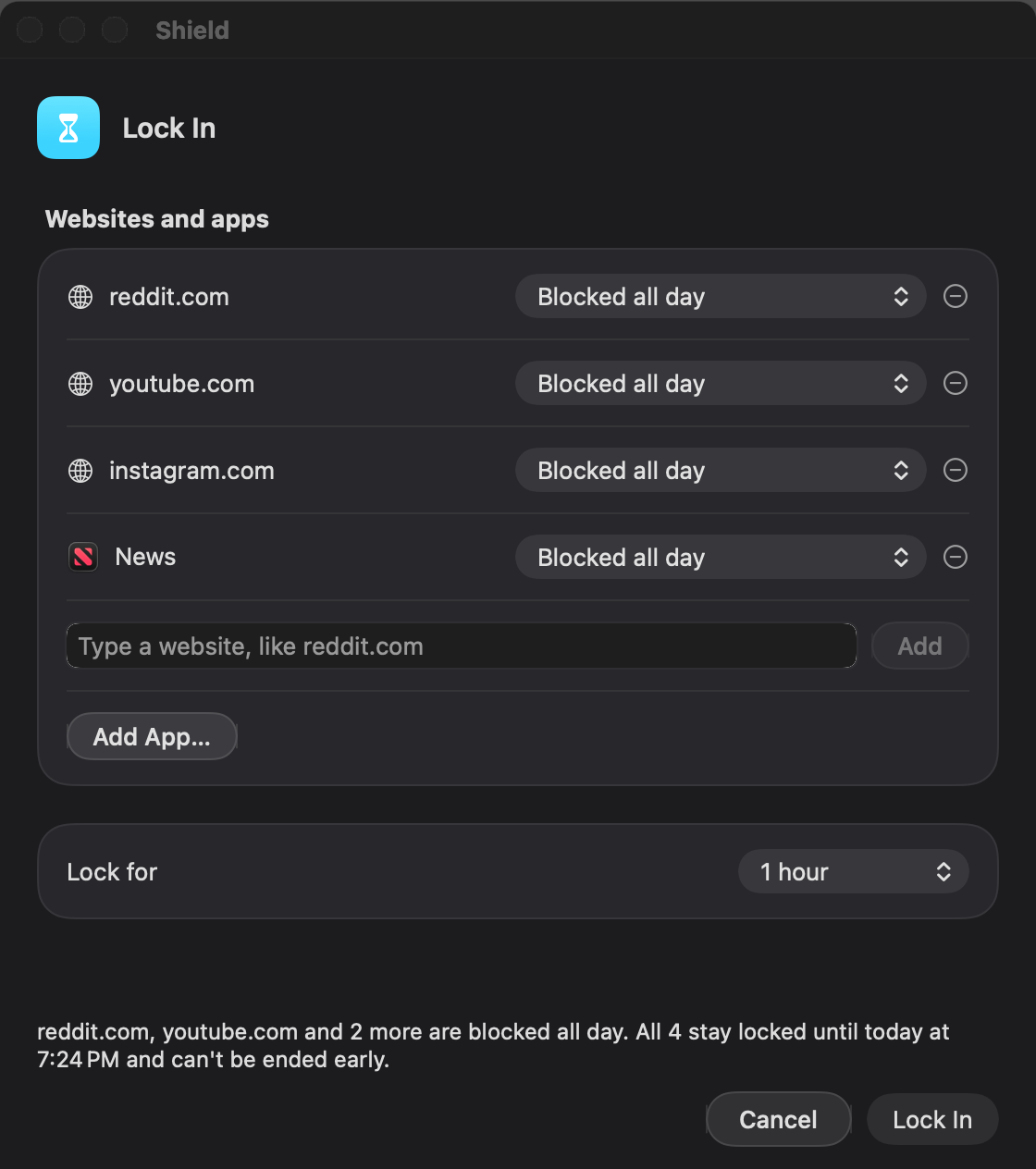
Lock In
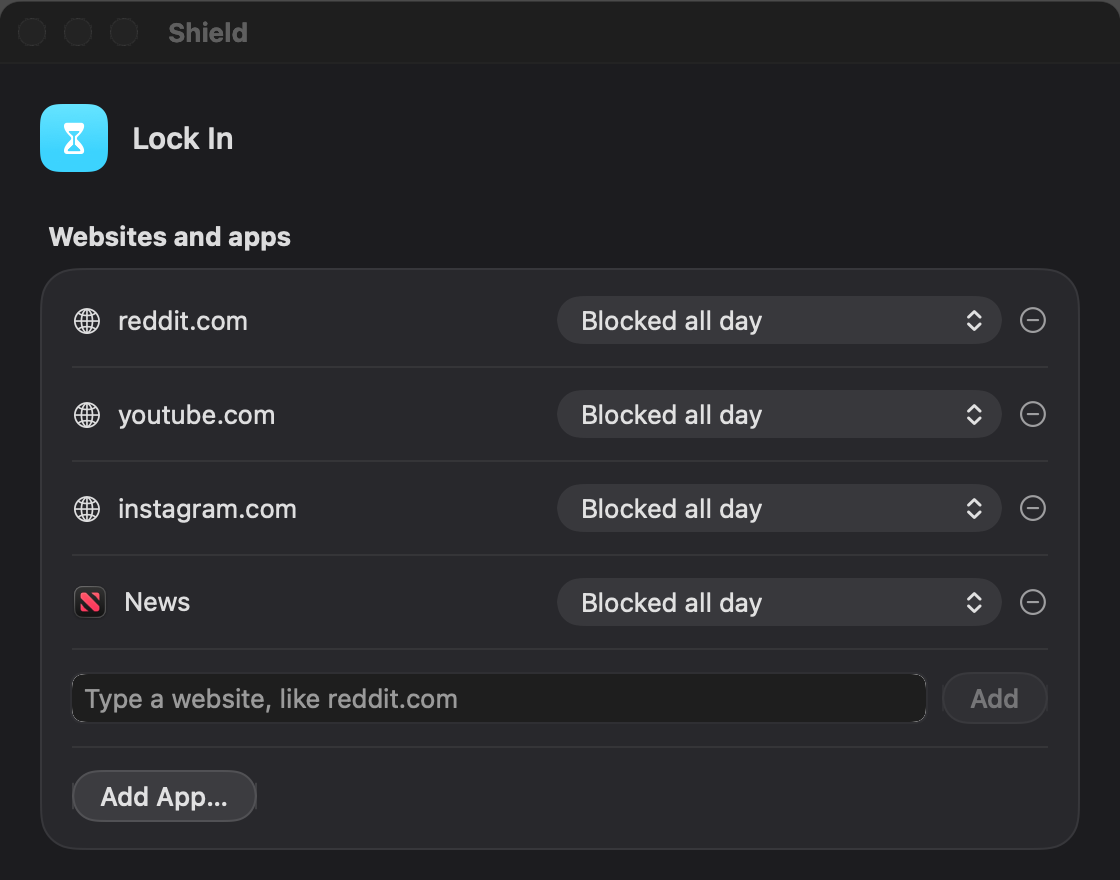
Pick a set of websites and apps, choose how long, and start. There's no early exit until the time is up.
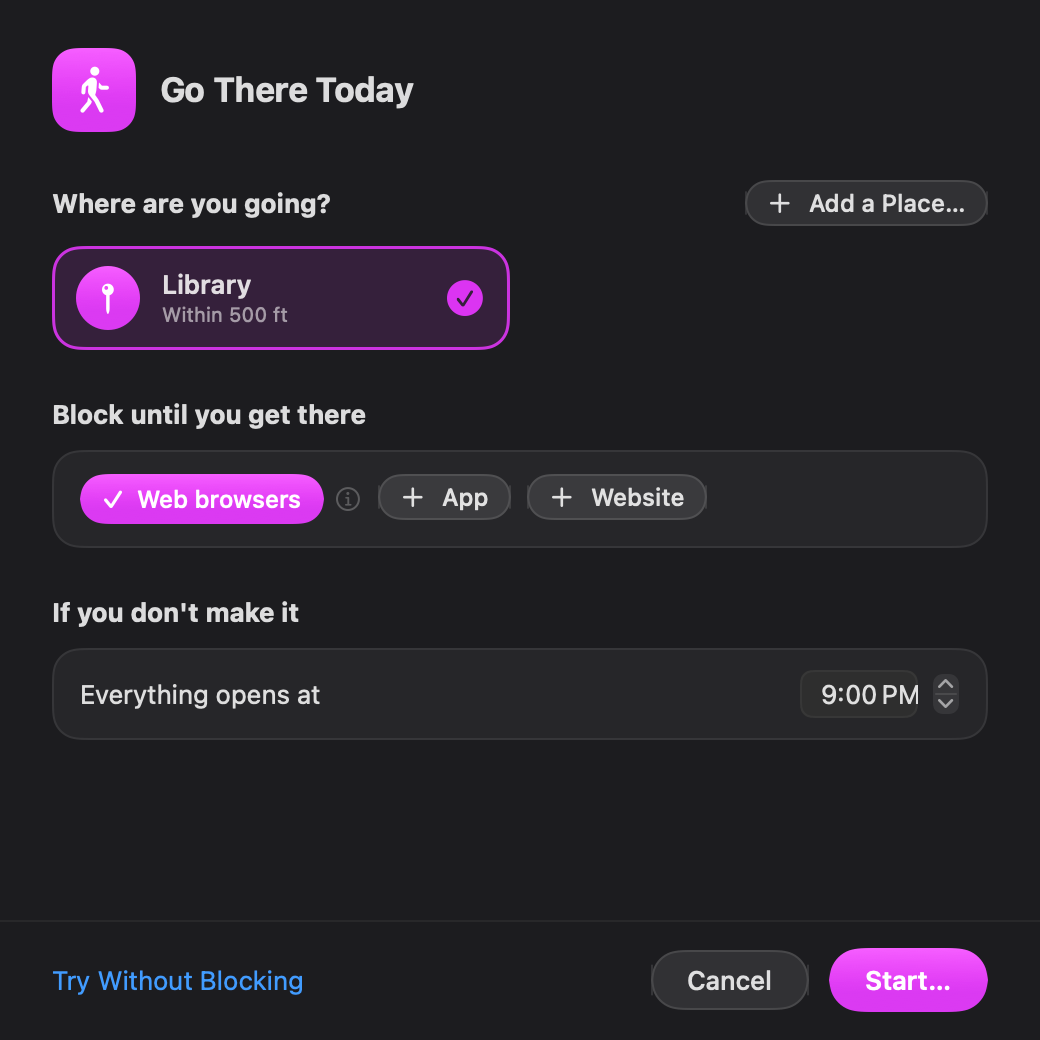
Go There Today
Going to the library or the gym? Block browsers, chosen apps or websites until you arrive. If you don't make it, everything opens at a time you set.
And the rest
Built to hold up on an ordinary day.
Every browser
- Safari
- Chrome
- Firefox
- Edge
- Brave
- Arc
And others. Blocks apply Mac-wide.
Apps, too
Add an app to a block and Shield closes it while the block is on.
Works with the window closed
A small background service keeps blocks in force when the app isn't open.
Close blocked tabs
Optional, off by default. Closes open tabs of a site when its block starts.
No account
Your rules and history stay on your Mac. Shield doesn't send them anywhere.
Video Library
OptionalAn optional add-on: save videos you're allowed to download and watch them inside Shield, even while the site is blocked.
How it works
Decide once, while your head is clear.
Blocking a site is easy. Keeping it blocked when you're tired or bored is the hard part. With Shield you make the decision in advance, and it holds when the moment comes.
- 1Choose what to block
- 2Choose how it ends
- 3Shield holds it
One rule for every change
Changed your mind? A waiting change can be cancelled at once.
Stricter
Applies now
- A new block
- More websites
- Fewer allowed hours
Looser
Waits 24 hours
- Removing a block
- Fewer websites
- More allowed hours
Download
Free for Mac.
Shield is free and open source under the GPLv3 license. Download the installer from GitHub, or build it yourself from the source.
Free and open source · macOS 26 or later · Apple silicon
Build from sourceInstalling Shield
- 1
Download Shield-1.1.pkg
From the latest release on GitHub.
- 2
Open it
macOS says it can't check it. Click Done.
- 3
Choose Open Anyway
In System Settings → Privacy & Security, scroll down and click Open Anyway.
- 4
Follow the installer
Enter your Mac password when asked. This installs the small background service that keeps your blocks on.
Why the warning?
Shield isn't notarized by Apple yet, so macOS asks you to confirm. The code is public, so anyone can check what it does.
New in 1.1
- A welcome tour the first time you open Shield
- A plain explanation before macOS asks for your location or to close tabs
- A Settings page that shows what Shield changes on your Mac
- Removing a permanent block waits 72 hours. Set it from 1 to 30 days; a longer wait applies at once, a shorter one after the current wait
- A 10-minute undo on a new block
- Browser settings change only while a website block exists
- Check for Updates from GitHub, with each download verified before it installs
- Your time zone follows you when you travel
- Remove Shield, which leaves nothing behind
FAQ
Questions, answered plainly.
What does Shield block?
Websites in every browser on your Mac, including Safari, Chrome, Firefox, Edge, Brave and Arc, and apps you choose.
Which Macs does it run on?
Macs with Apple silicon running macOS 26 or later. There's no Windows, iPhone or Intel version.
How do I get it?
Download Shield-1.1.pkg from the latest GitHub release and follow the install steps on this page. You can also build it from the source.
How do allowed hours work?
You pick the hours a site may open each day, for example 6 to 8 PM. Outside those hours it's blocked. Giving yourself fewer hours applies at once; more hours waits 24 hours.
Can I turn Shield off?
Not with a switch. That's the point. You can remove a block, and the removal takes effect 24 hours later. A timed block can't be ended early, and Lock In has no early exit.
Can Shield be bypassed?
Yes, by someone determined. Anyone with an administrator password on the Mac can stop Shield, and some browser settings, private DNS and VPNs can get around website blocking. Shield is a commitment tool that makes giving in slow and deliberate. It isn't tamper-proof security.
What does Shield know about me?
There's no account and no tracking. Your rules and history stay on your Mac, and Shield doesn't send them anywhere. It goes online only when you check for updates, or when the optional Video Library saves a video from its site. Location is used only while a place-based rule needs it.
Is Shield free?
Yes. Shield is free and open source under the GPLv3 license.